
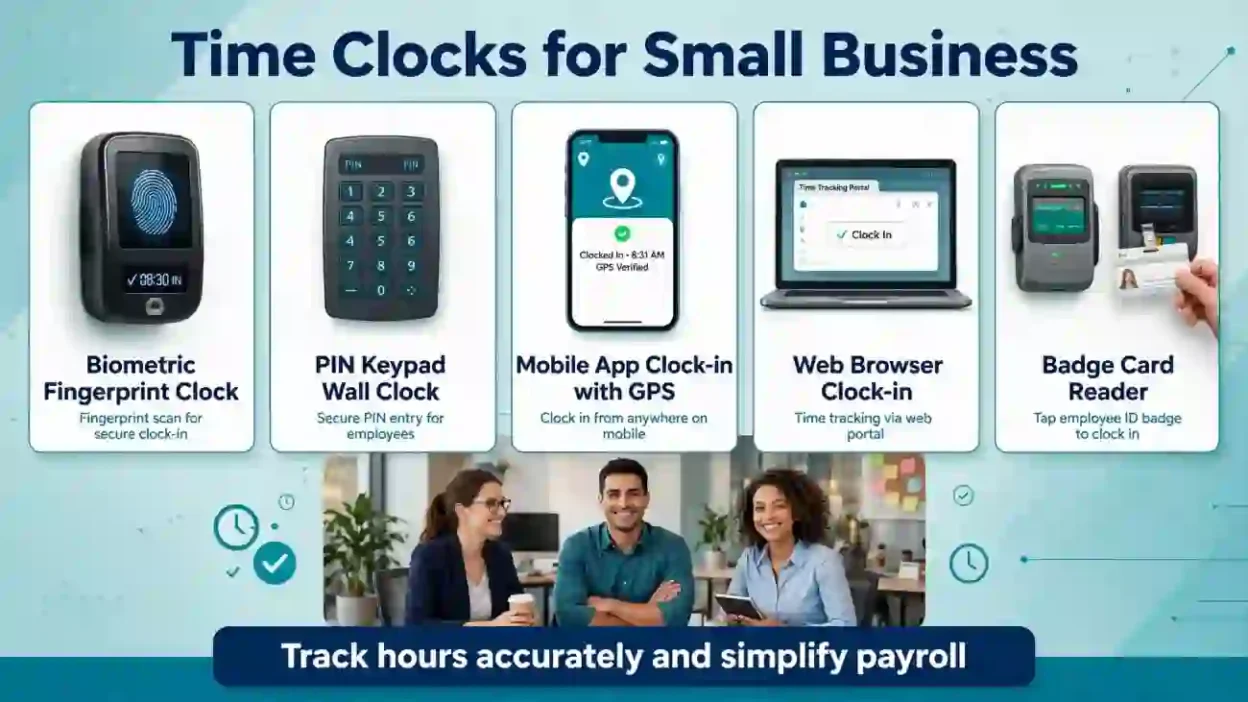
Time clocks for small business help employers track employee work hours, breaks, overtime, and attendance. Options include traditional punch clocks, digital time clock systems, mobile apps, and biometric devices. The right system can reduce payroll errors, simplify scheduling, improve accountability, and help small businesses manage labor costs.
Key Takeaways
- Time clocks help small businesses record employee work hours accurately.
- Digital systems can automate timesheets and simplify payroll processing.
- Mobile and GPS-enabled tools work well for remote and field employees.
- The best system depends on your team size, budget, and workplace needs.
- Employers should review applicable wage, overtime, break, and recordkeeping requirements.
Time Clocks for Small Business
Introduction
Managing employee hours can become difficult as a small business grows. Paper timesheets, handwritten notes, and manual calculations often create confusion, especially when employees work different shifts or earn overtime. Even a small mistake can lead to payroll problems, unhappy employees, and wasted administrative time.
Time clocks for small business offer a practical way to record when employees start work, finish their shifts, and take breaks. Depending on the system, employees can clock in using a physical device, computer, smartphone, PIN, or fingerprint.
However, not every business needs an expensive attendance platform. A neighborhood store may need a simple digital punch clock, while a construction company may benefit from mobile tracking and location features.
This guide explains how employee time clocks work, why businesses use them, which features matter, and how to choose a system that fits your team. You will also learn about common mistakes and important payroll considerations before making a decision.
What Does “Time Clocks for Small Business” Mean?
Time clocks for small business are tools that record employees’ working hours and attendance. They help employers track clock-in times, clock-out times, breaks, and total hours worked.
Traditional time clocks use paper cards or printed records. Modern systems often store time entries digitally and may calculate hours, flag missed punches, and transfer approved records to payroll software.
Businesses commonly use these systems in retail stores, restaurants, offices, warehouses, healthcare practices, and service companies.
Their main purpose is to create reliable attendance records and reduce the time managers spend reviewing employee timesheets.
Why Use Time Clocks for Small Business?
A time clock can make everyday workforce management easier, particularly when several employees work different schedules.
Here are the main benefits:
- Reduce payroll mistakes: Recorded punches can reduce errors caused by handwritten timesheets and manual calculations.
- Save administrative time: Digital systems can calculate hours and prepare timesheets for review.
- Improve accountability: Employees and managers can review recorded work hours and correct discrepancies.
- Monitor overtime: Alerts and reports can help managers identify potential overtime before approving schedules.
- Support flexible work: Mobile systems can record time for employees working at customer locations or off-site.
- Keep organized records: Searchable digital records can simplify payroll reviews and attendance reporting.
A time clock does not guarantee error-free payroll. Managers still need to review unusual entries, confirm employee records, and follow applicable labor laws.
10 Best Types of Time Clocks for Small Business
The following options serve different workplace needs. The best choice depends on your budget, employee work locations, payroll process, and required level of oversight.
1. Traditional Punch Clocks
Meaning:
Traditional punch clocks record an employee’s arrival and departure when the employee inserts a time card or uses a mechanical or electronic punching device. They provide a straightforward way to track attendance without relying on smartphones.
Best For:
Small retail stores, workshops, and businesses with a fixed workplace.
Example 1:
A local hardware store uses a punch clock to record when its four employees begin and finish their shifts.
Example 2:
A repair shop keeps employee time cards organized by pay period for payroll review.
Quick Tip:
Check whether the clock supports your preferred time format and makes records easy to read.
2. Digital Time Clocks
Meaning:
Digital time clocks record employee punches electronically. Depending on the device, workers may use a PIN, employee badge, touchscreen, or another approved identification method.
Best For:
Professional, formal, and busy workplace environments.
Example 1:
A small warehouse uses PIN-based clock-ins to record shift changes.
Example 2:
An office manager reviews digital attendance reports before approving weekly payroll.
Quick Tip:
Choose a device that can export time records in a format your payroll process supports.
3. Cloud-Based Time Clock Software
Meaning:
Cloud-based time clock software stores attendance records on an online platform. Authorized managers can usually access timesheets, reports, and employee records through a web browser or connected application.
Best For:
Growing businesses and teams with multiple locations.
Example 1:
A bakery owner checks attendance records for two stores from one account.
Example 2:
A small agency reviews employee hours without collecting paper timesheets from each department.
Quick Tip:
Review subscription fees, user limits, data security, and internet requirements before signing up.
4. Mobile Time Clock Apps
Meaning:
Mobile time clock apps let employees record work hours using a smartphone or tablet. Some applications also support timesheet approvals, shift information, and notifications.
Best For:
Field workers, service businesses, and flexible teams.
Example 1:
A cleaning company allows employees to record their hours through a mobile application.
Example 2:
A maintenance technician clocks in after arriving at an assigned job.
Quick Tip:
Confirm that the app works on your employees’ devices and provides a clear process for correcting missed punches.
5. GPS-Enabled Time Clocks
Meaning:
GPS-enabled time clocks can capture location information when employees clock in or out, depending on the software and device permissions. This can help businesses verify that field employees are at approved job locations.
Best For:
Construction companies, delivery services, and mobile workforces.
Example 1:
A landscaping company reviews job-site clock-ins to coordinate its daily crews.
Example 2:
A home service business checks location records when reviewing disputed arrival times.
Quick Tip:
Explain location tracking policies to employees and collect only the location information your business legitimately needs.
6. Biometric Time Clocks
Meaning:
Biometric time clocks use characteristics such as fingerprints or facial measurements to verify identity. They can reduce buddy punching, which happens when one employee clocks in for another.
Best For:
Workplaces that need stronger identity verification.
Example 1:
A manufacturing business evaluates fingerprint-based clock-ins to address repeated attendance discrepancies.
Example 2:
A distribution center considers facial verification for employees entering different shifts.
Quick Tip:
Review applicable biometric privacy laws, consent requirements, data storage practices, and alternatives before adopting this technology.
7. Badge or RFID Time Clocks
Meaning:
Badge-based systems let employees clock in with an identification card, key fob, or compatible RFID credential. They offer a quick alternative to manually entering employee numbers.
Best For:
Warehouses, offices, and businesses with frequent shift changes.
Example 1:
A small production facility gives each employee a badge for recording shift attendance.
Example 2:
A shared office uses employee cards to register arrivals and departures.
Quick Tip:
Establish a process for reporting lost badges and prevent employees from sharing credentials.
8. Kiosk Time Clocks
Meaning:
A kiosk time clock uses a shared tablet or dedicated terminal for employee punches. Workers identify themselves individually rather than using personal phones or computers.
Best For:
Restaurants, clinics, retail teams, and shared workplaces.
Example 1:
A restaurant places a tablet near its staff entrance for shift clock-ins.
Example 2:
A medical practice uses a shared terminal to record employee attendance at the beginning of each shift.
Quick Tip:
Position the kiosk somewhere accessible without creating a line during busy shift changes.
9. Payroll-Integrated Time Clocks
Meaning:
Payroll-integrated time clocks transfer approved time records into compatible payroll systems. Depending on the integration, they may reduce duplicate data entry and help prepare wage calculations.
Best For:
Businesses with hourly employees and recurring payroll tasks.
Example 1:
A small retailer transfers approved timesheets to its payroll platform each pay period.
Example 2:
An office administrator checks overtime entries before processing employee payments.
Quick Tip:
Verify integration compatibility, additional fees, rounding rules, and how corrections move between systems.
10. Scheduling and Time Tracking Systems
Meaning:
These systems combine employee scheduling with clock-in records and timesheet management. Managers can compare planned shifts with actual hours and identify attendance issues.
Best For:
Restaurants, hospitality businesses, and companies with changing schedules.
Example 1:
A cafe manager compares scheduled shifts with actual attendance after a busy weekend.
Example 2:
A small retail team adjusts upcoming schedules after reviewing hours worked during the previous week.
Quick Tip:
Look for clear overtime warnings and reliable notifications for schedule changes.
Comparison Table
| Alternative | Best Used In | Tone |
|---|---|---|
| Traditional punch clocks | Small shops and workshops | Simple, practical |
| Digital time clocks | Warehouses and offices | Professional |
| Cloud-based software | Growing, multi-location businesses | Flexible |
| Mobile time clock apps | Field and remote teams | Convenient |
| GPS-enabled time clocks | Construction and service companies | Location-aware |
| Biometric time clocks | Workplaces requiring identity verification | Security-focused |
| Badge or RFID clocks | Offices and production facilities | Efficient |
| Kiosk time clocks | Restaurants and shared workplaces | Accessible |
| Payroll-integrated clocks | Businesses with hourly payroll | Administrative |
| Scheduling and time tracking systems | Hospitality and retail | Coordinated |
How to Choose the Right Time Clock System
Before purchasing a time clock, consider how your employees work and how you currently process payroll.
1. Consider your team size. A basic clock may suit a small team at one location, while a larger workforce may need centralized reporting and employee permissions.
2. Set a realistic budget. Compare equipment costs, monthly subscriptions, implementation charges, support fees, and any per-employee pricing.
3. Check payroll compatibility. Confirm that the system works with your payroll provider or exports records in a usable format.
4. Match the technology to the workplace. Office staff may prefer a shared terminal, while field workers may need mobile clock-ins and job-site verification.
5. Review privacy and security. Ask how the provider protects employee information, controls account access, and stores attendance data.
6. Test the employee experience. A system should make clocking in easy and provide a clear method for correcting mistakes.
A short trial with a few employees can reveal practical problems before you roll the system out across the business.
Common Mistakes
1. Choosing a System Based Only on Price
A low-cost device may lack payroll integration, useful reports, or reliable support. Compare the total cost of ownership rather than focusing only on the initial purchase price.
2. Ignoring Employee Training
Employees may forget to clock in, misunderstand break procedures, or struggle with a new app. Provide clear instructions and explain whom to contact when something goes wrong.
3. Assuming Every Punch Is Accurate
Employees can miss punches, use incorrect codes, or enter the wrong job information. Managers should review exceptions and establish a consistent correction process.
4. Overlooking Labor Law Requirements
Time clock software does not automatically make a business compliant with federal, state, and local labor laws. Employers should review applicable requirements for minimum wage, overtime, meal periods, and record retention.
5. Collecting More Personal Data Than Necessary
GPS and biometric systems can introduce privacy concerns. Choose appropriate settings, explain monitoring practices, and review relevant laws before collecting sensitive employee information.
Frequently Asked Questions
1. What is the best time clock for a small business?
The right time clock depends on your employees, budget, and payroll process. A basic digital clock may work for a small shop, while a cloud-based system may better suit a growing business. Field teams may benefit from mobile tracking, and businesses with complex schedules may need scheduling and payroll integrations.
2. How much do time clocks for small business cost?
Costs vary by system type and provider. A traditional punch clock generally requires an upfront equipment purchase, while software-based systems may charge monthly or per employee. Hardware, installation, payroll integrations, and premium features can add expenses. Compare total costs over at least one year before choosing a system.
3. Are employee time clocks required by law?
Federal law does not generally require every business to use a physical time clock. However, covered employers must maintain accurate records of hours worked and wages paid under applicable wage and hour rules. State and local requirements may also apply, so review the rules for your business and workforce.
4. Can a time clock automatically calculate overtime?
Some time clock systems calculate overtime based on configured rules and recorded hours. However, employers must verify that the settings follow applicable federal, state, and local requirements. Review unusual schedules, missed punches, and other exceptions before approving payroll, since software settings alone do not guarantee correct calculations.
5. Are free time clock apps available for small businesses?
Some providers offer free plans, limited trials, or basic attendance features. These options may work for very small teams, but they can have limits on employee numbers, reporting, integrations, or support. Check the plan details and privacy terms before relying on a free tool for payroll records.
6. Can employees clock in from their phones?
Yes. Many mobile time tracking apps allow employees to clock in and out using smartphones. Depending on the system, managers may also receive GPS information, job codes, or timesheet notifications. Employers should establish clear rules for phone-based clock-ins and ensure that location tracking is appropriate for the work being performed.
7. Are biometric time clocks worth it?
Biometric clocks may help reduce buddy punching and improve identity verification in certain workplaces. However, they can cost more and raise privacy or legal concerns, especially when fingerprint or facial data is collected. Compare the benefits with less intrusive alternatives, such as employee badges, PINs, or supervised kiosk clock-ins.
8. Can time clock software integrate with payroll?
Many time tracking platforms integrate with selected payroll systems or export approved timesheets for processing. Integration can reduce duplicate data entry, but compatibility varies by provider and subscription plan. Before purchasing, confirm that employee records, overtime calculations, pay codes, and corrected time entries transfer correctly to your payroll workflow.
Conclusion
Choosing the right time clocks for small business can make employee attendance easier to manage and payroll records more reliable. The best system is not necessarily the most expensive or feature-rich option. It is the one that fits your team’s daily routine, records hours accurately, and works with your existing payroll process.
For a small shop, a traditional or digital punch clock may be enough. Businesses with remote employees may prefer mobile apps, while companies managing multiple locations may benefit from cloud-based reporting and scheduling tools. Payroll integration can also reduce repetitive administrative work.
Before making a decision, compare pricing, usability, security, support, and compatibility with your current systems. Give employees clear instructions and review time records before processing wages.